Displaying process details for open tasks and requests
Clicking the info button or the word "Details" in the "Detail" column gives you more extensive information about the request or task in question.
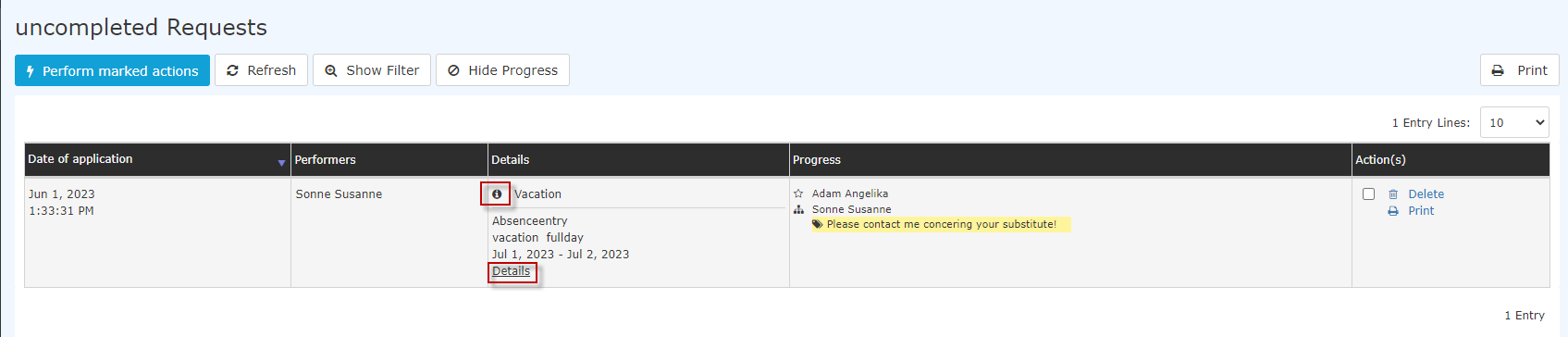 |
| Vergrößern |
The details view contains the following tabs:
Form
All data from the request form is summarized here. In the example below, a vacation request is submitted. In addition to the request data itself (from-to date, absence reason, comment, etc.), the example also contains an overview of the current vacation entitlement and the number of vacation days remaining after the request is approved. Depending on the request type, any documents can be attached here.
The yellow info window shows a simple explanation of the request in question.
 |
| Vergrößern |
In the second example, a special leave request was submitted:
| Vergrößern |
History
Here you can see the roles (requester, personnel), which person these roles are assigned to (assigned to), who processed/created the request (processor), and the time of processing. If comments are added when reviewing / approving the request, you would also see them here.
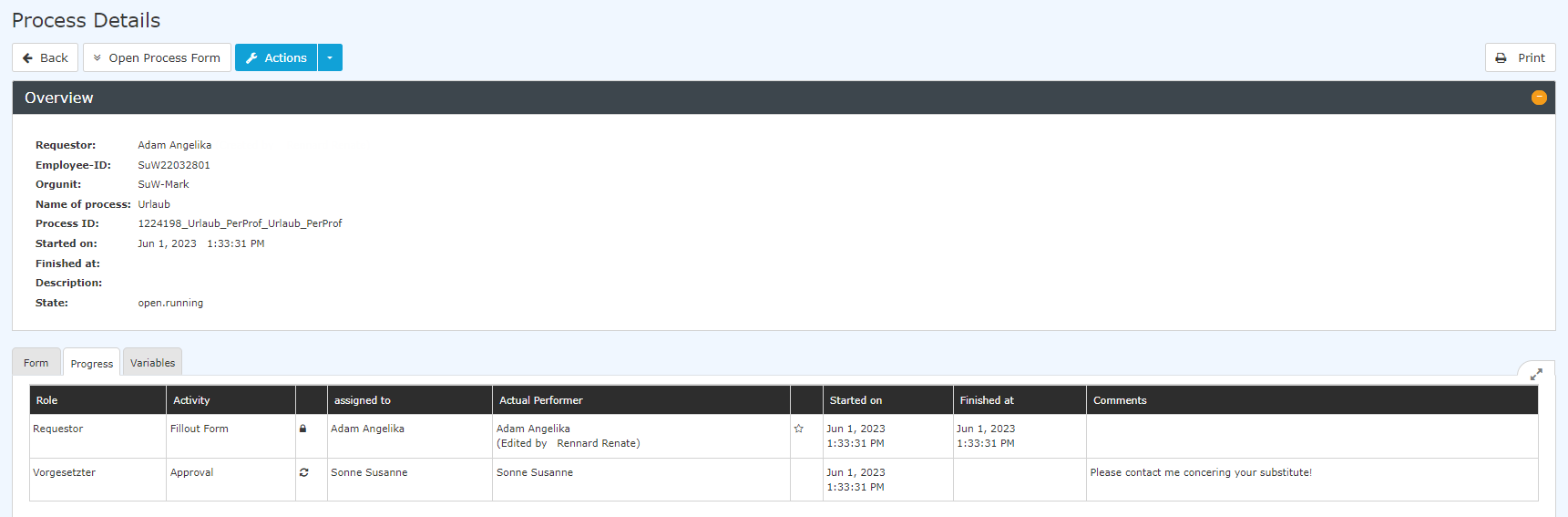 |
| Vergrößern |
Variables
The "Variables" tab contains a technical overview of variables and their values, each of which describes specific information about the request. This view has no specific function for the end user, since all the information it contains is clearly displayed elsewhere in the request - this tab is therefore only relevant for administrators or Workflow support.
 |
| Vergrößern |
Keine Kommentare vorhanden.