FAQ: Adding persons to a group
In the menu tree under Administration, select the item Groups.
This menu item provides a list of all created groups (permission groups and organizational units) of the client (company).
| Vergrößern |
[Note: the screenshots still contain the names "Organigram group" and "Loose groups" that were in use for organizational units and permission groups before July 2024.]
Using the input fields under Short name, Name, Description, Client, Organizational structure, Valid from and Valid to, the list can be restricted accordingly.
For example, entering "M" in the Short name field restricts the list to groups whose short name contains at least one "M".
To edit the desired group, simply click the row or the edit icon .
Add a person
After selecting a group, you can add staff members to the selected group by clicking on the Persons tab.
ATTENTION: Please note that an employee can only be a member of ONE hierarchical group (group from the organigram) at any one time, but can be a member of any number of Loose groups at the same time. The following screenshot shows whether you are currently editing an organigram group or a Loose group (marked in red).
By clicking on New Person Assignment, members can be added to this group.
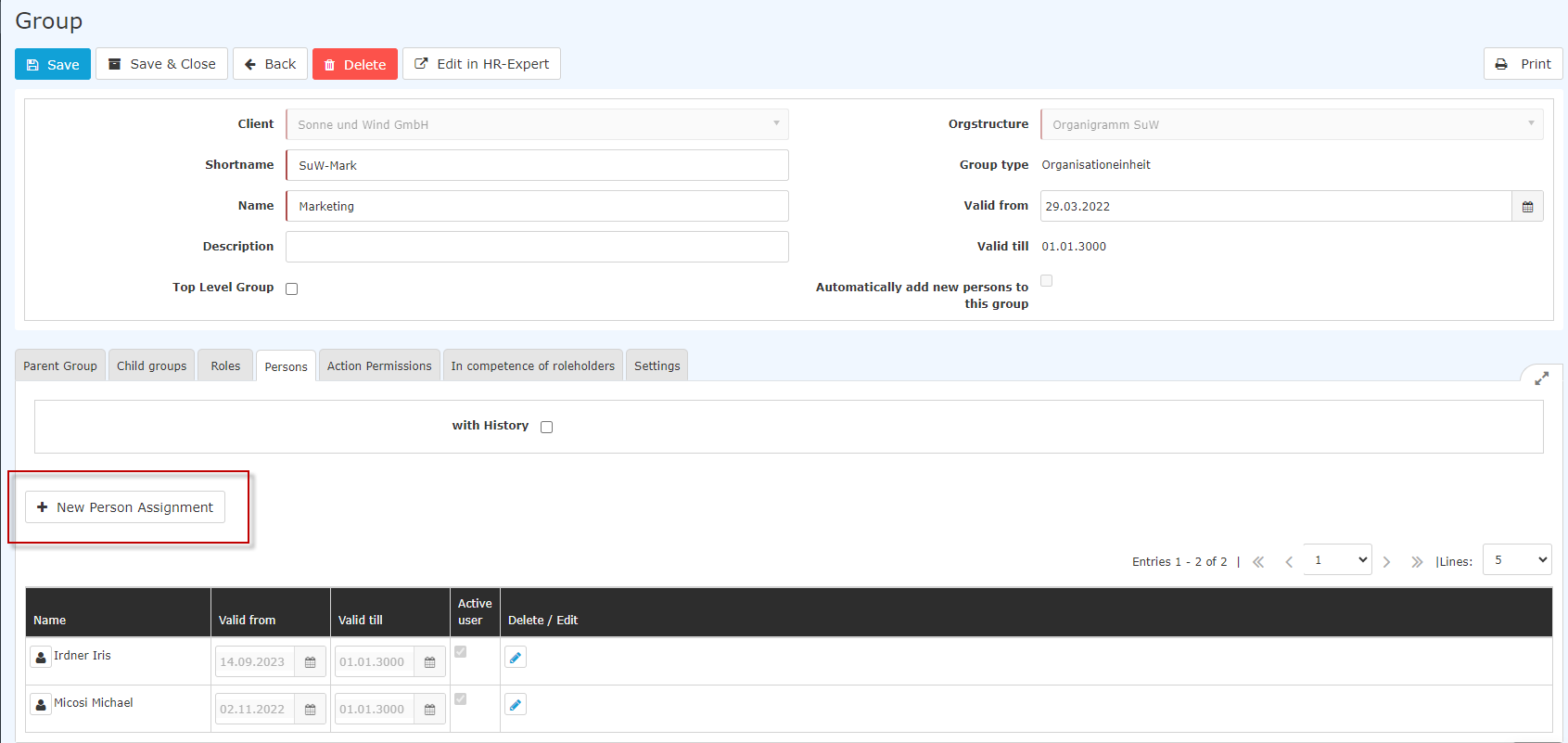 |
| Vergrößern |
After clicking, the following table appears:
 |
| Vergrößern |
After selecting the person (Huber Heinrich in this case; the selection can be made either by simply typing in the field or by clicking on the button with the 3 dots), you can click on Save. The fields Valid from and Valid to are either filled with the default values (Valid from: Today; Valid to 1.1.3000) or - as in this case - there is the option to enter a concrete date to specify that Mr. Heinrich Huber should be a member of this group from 01.03.2023 onwards.
Note: The previous assignment of an employee to a group in the organisation chart is automatically deleted when the new assignment becomes valid.
 |
| Vergrößern |
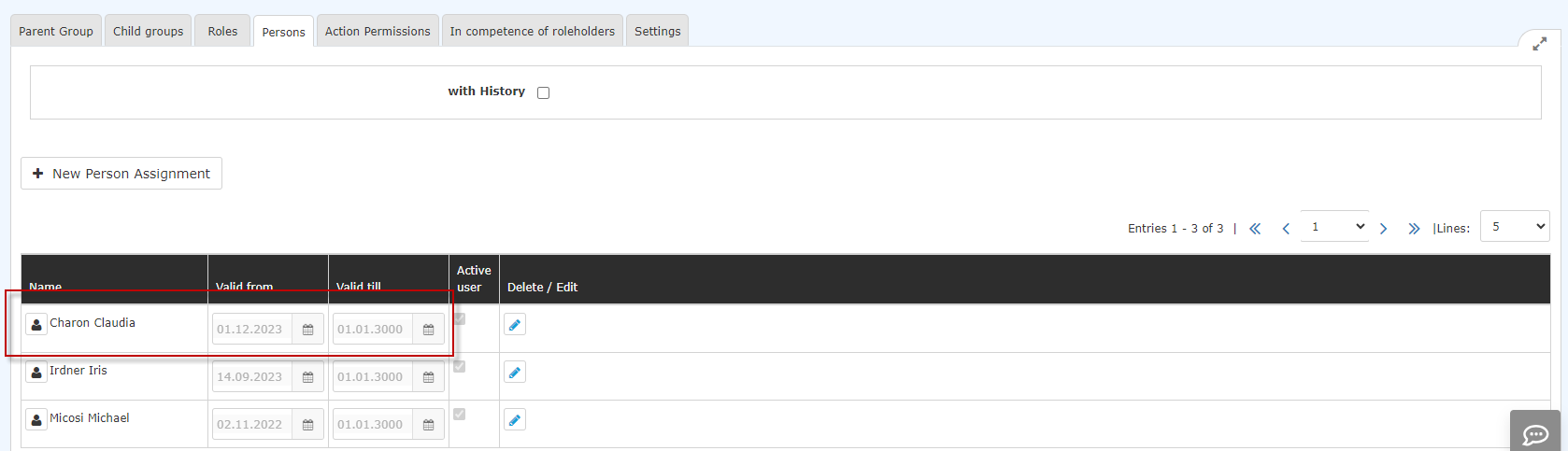 |
| Vergrößern |
The membership expiry date can be edited by clicking on the edit icon
 .
.
Additional information
You can find more information on the topic of groups under the following link: Groups
Keine Kommentare vorhanden.