Workflow for Travel Expense Reports
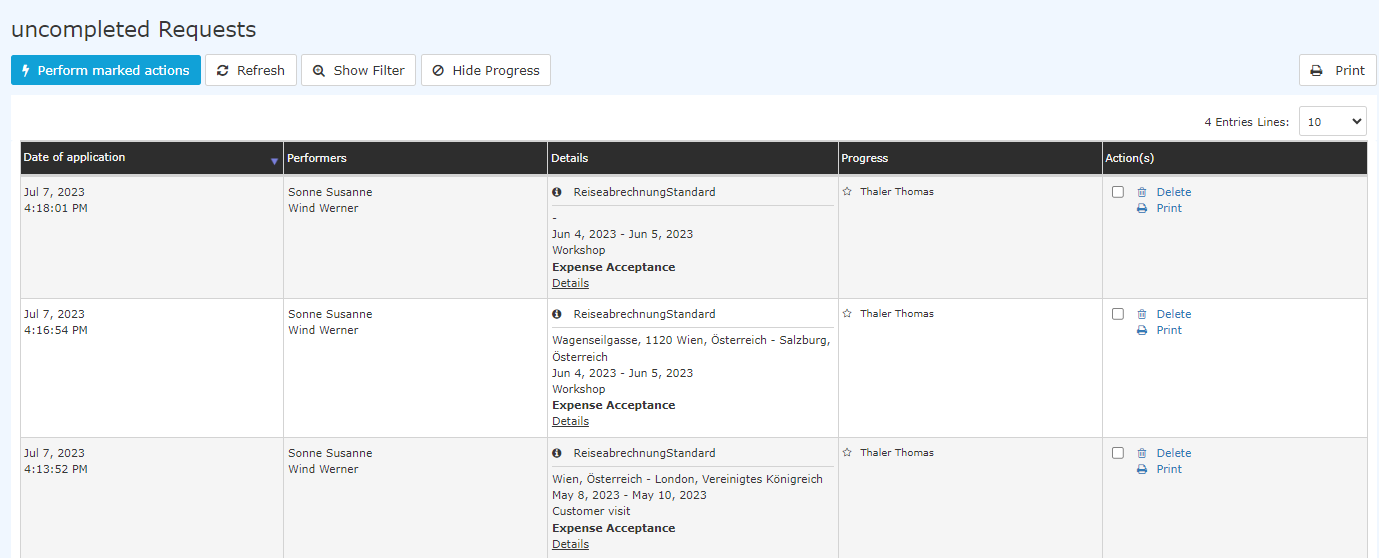
Once domestic trip expense reports, international trip expense reports and after-the-fact receipt entries have been entered, they appear in the workflow of the supervisor.
The view looks like this:
 |
| Vergrößern |
As usual when processing tasks in the workflow, the task can be processed immediately (right column with red marking) or you can open a detail view.
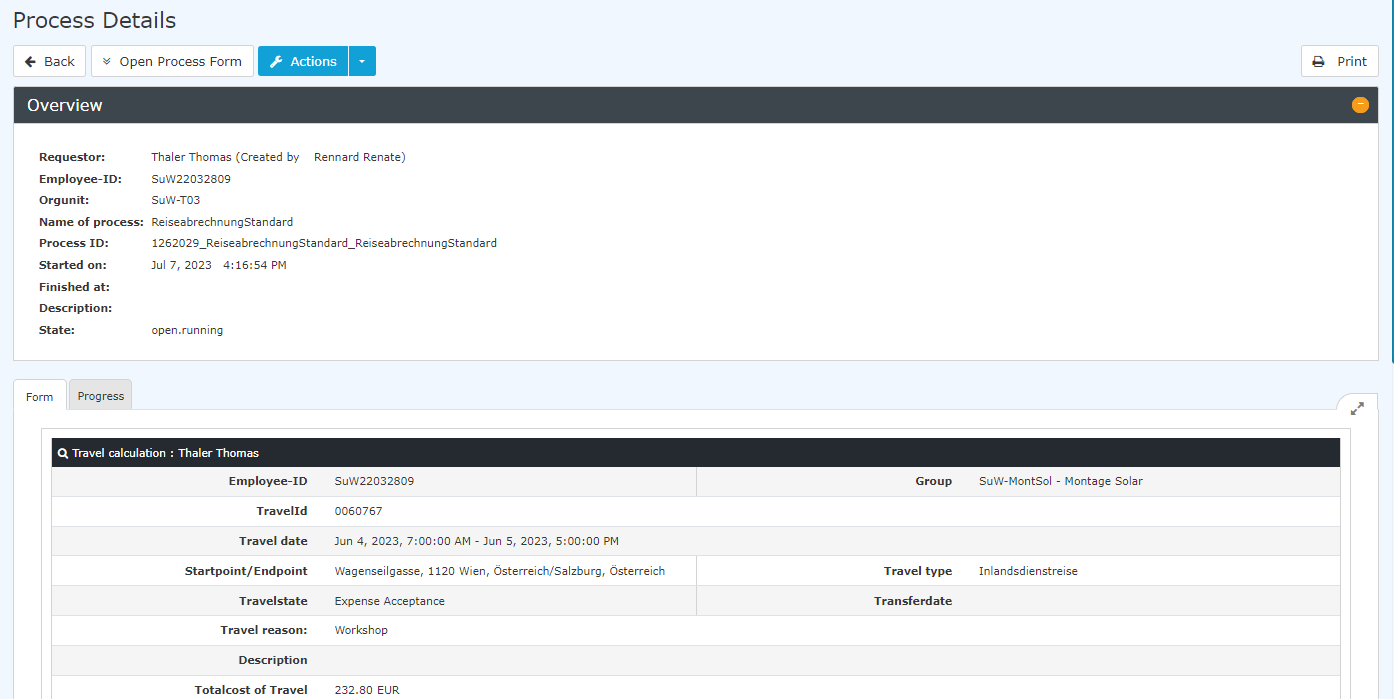
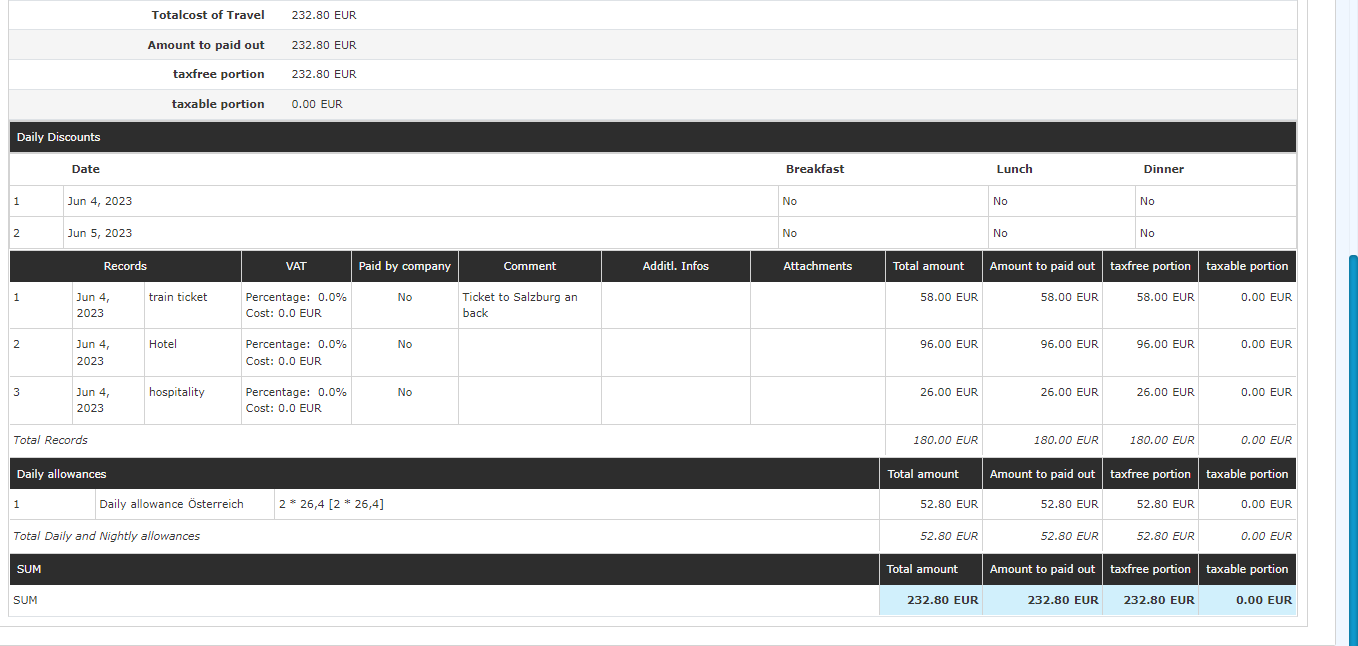
Opening the detail view shows the following
1. Domestic Trip Expense Report
(Note: because of the length of the view, it is shown in several screenshots.)
 |
| Vergrößern |
 |
| Vergrößern |
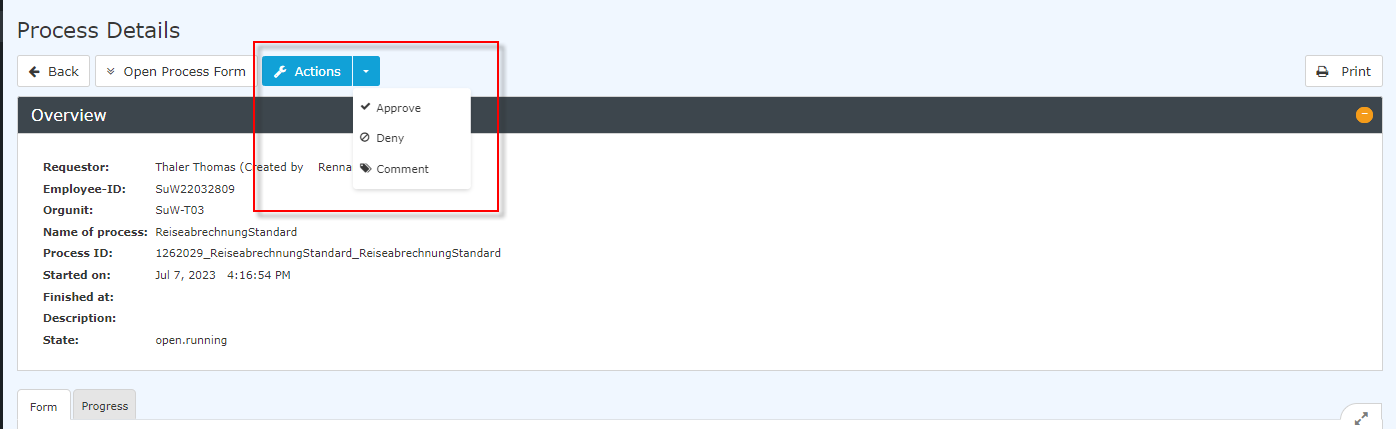
You can also edit the task from the process details by clicking the "Actions" button:
 |
| Vergrößern |
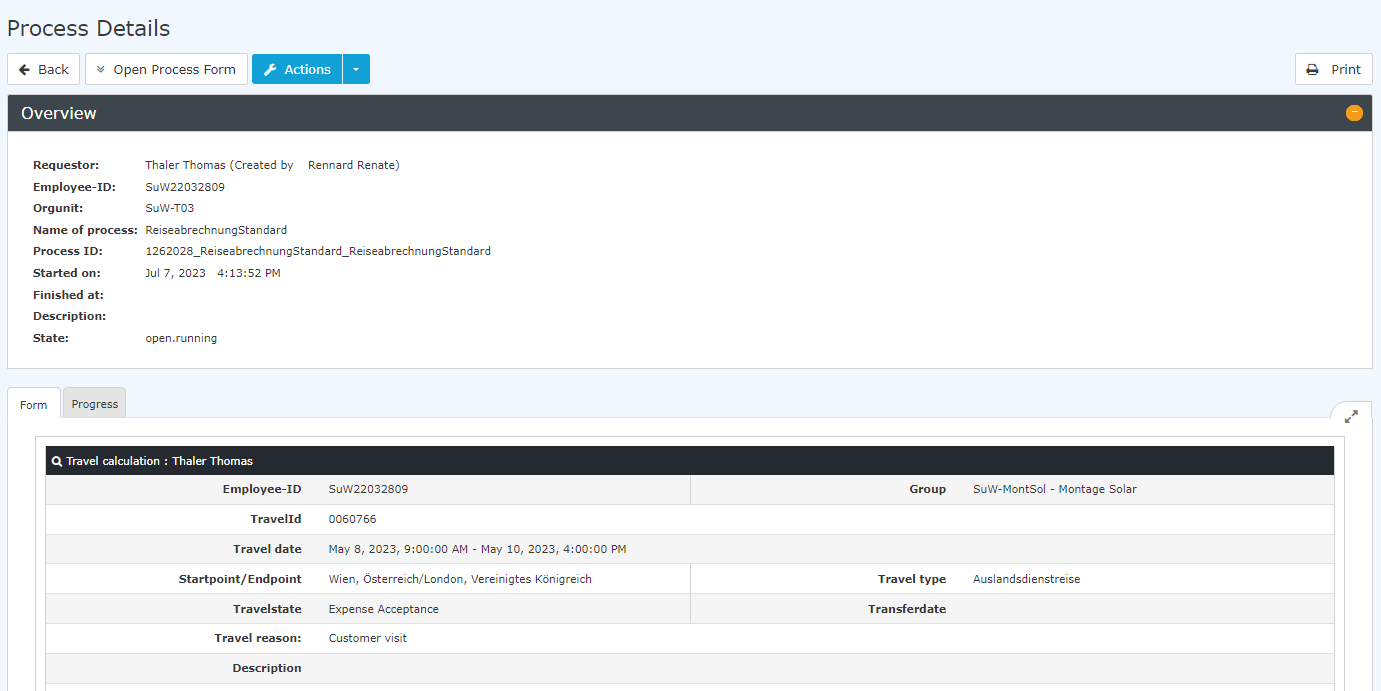
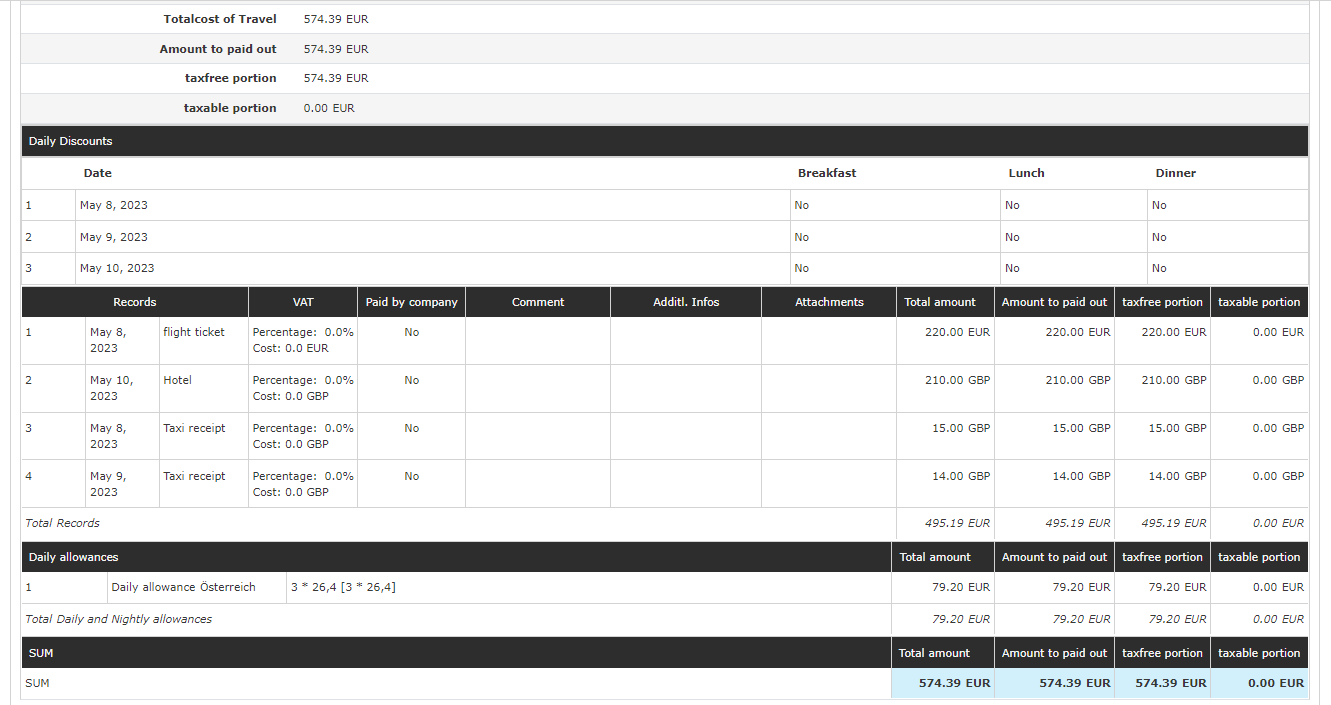
2. International Trip Expense Report
 |
| Vergrößern |
 |
| Vergrößern |
Here, too, the task can be edited from the process details; see domestic trip
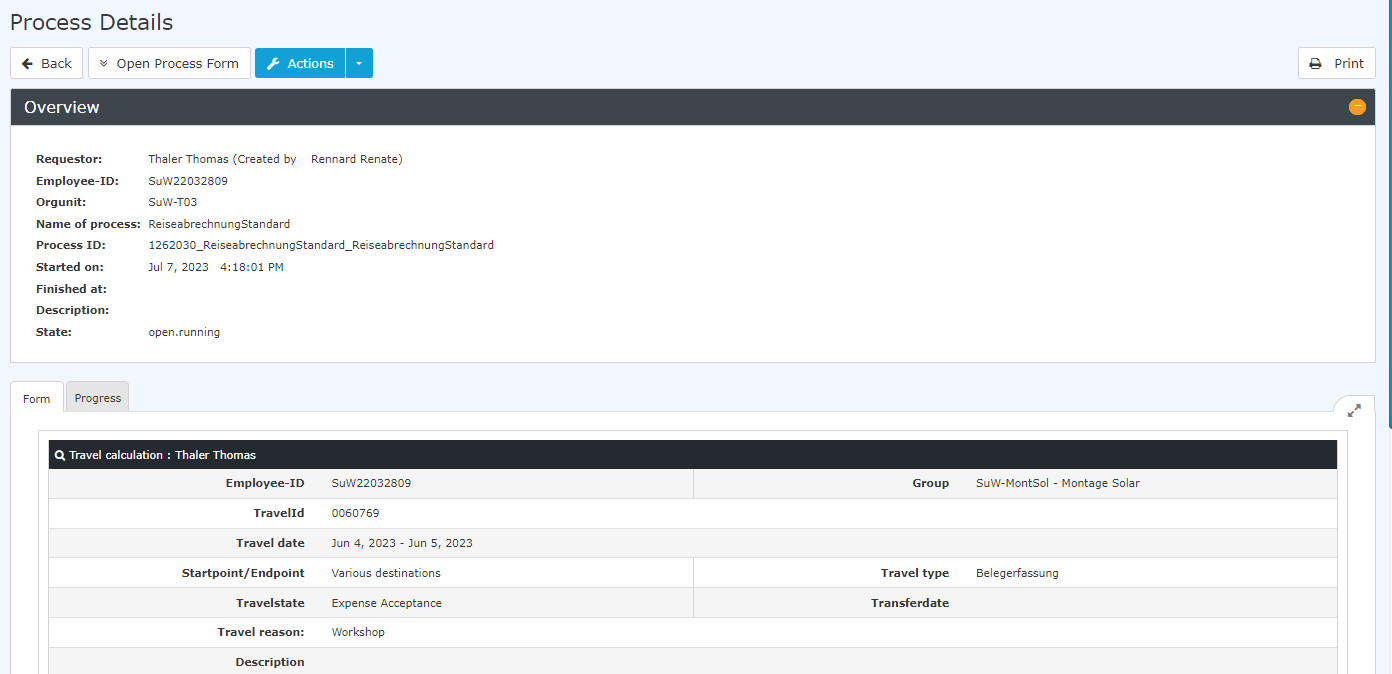
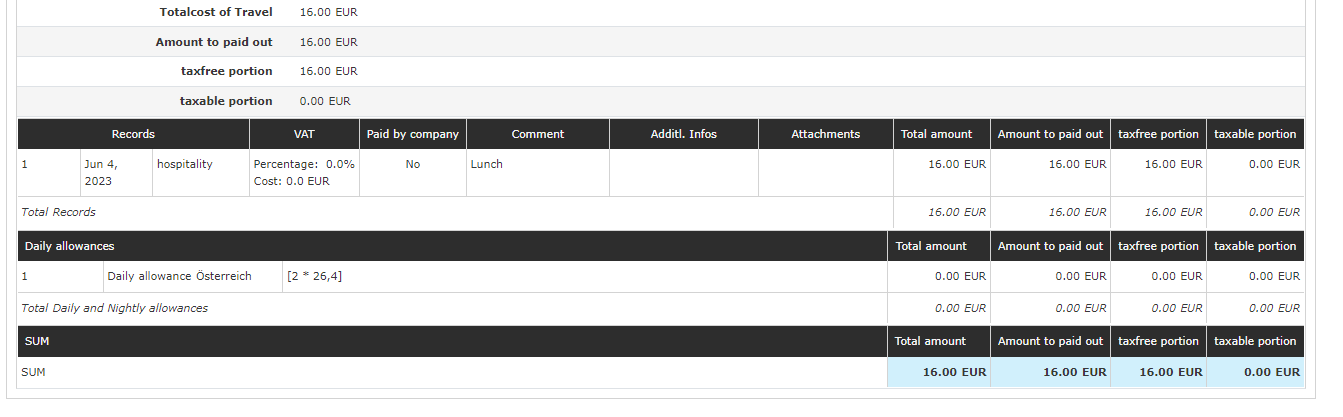
3. Receipt Entry
 |
| Vergrößern |
 |
| Vergrößern |
Here, too, the task can be edited from the process details; see domestic trip
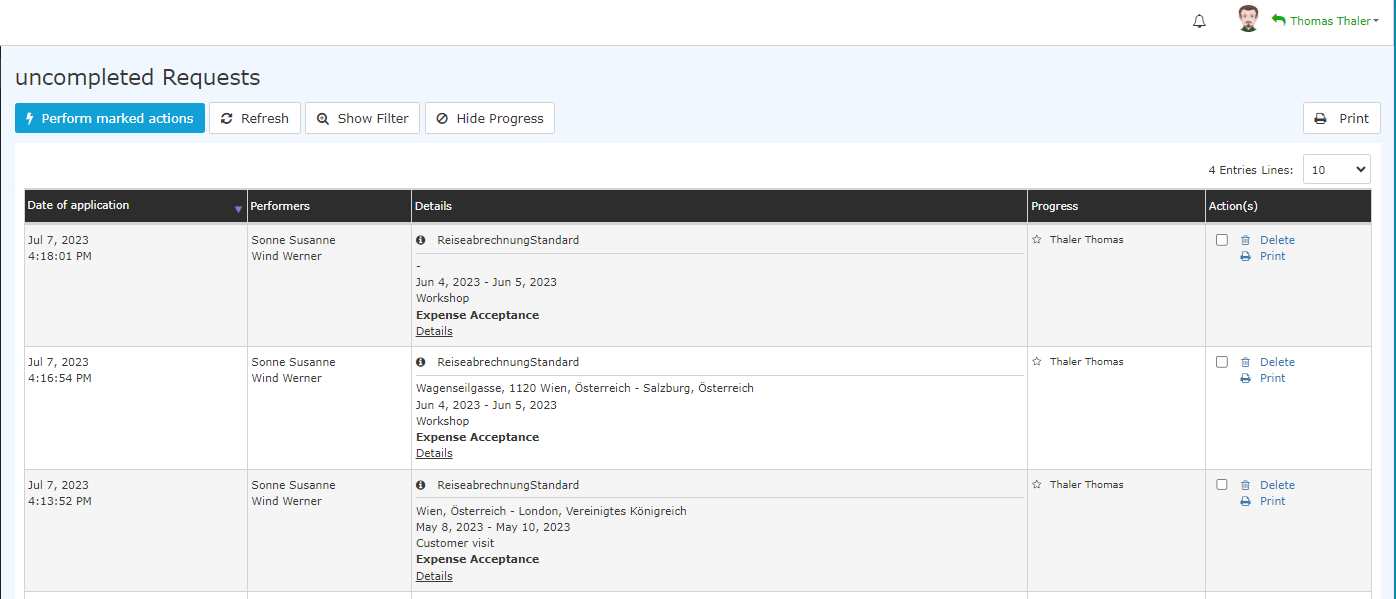
4. Expense Report Requests from the Requester's Point of View
As long as the requests for the travel expense reports have not yet been approved, they can be found under "Open requests".
 |
| Vergrößern |
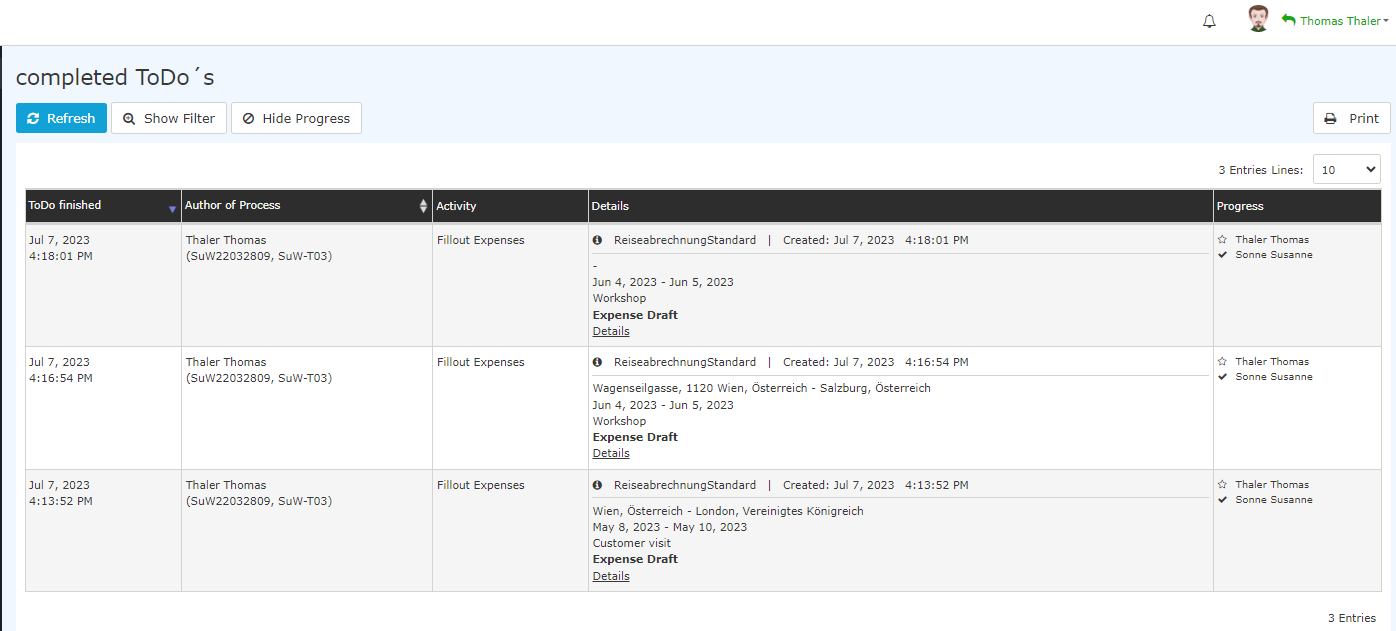
After approval, they appear for the requester under "Completed tasks":
 |
| Vergrößern |
Keine Kommentare vorhanden.